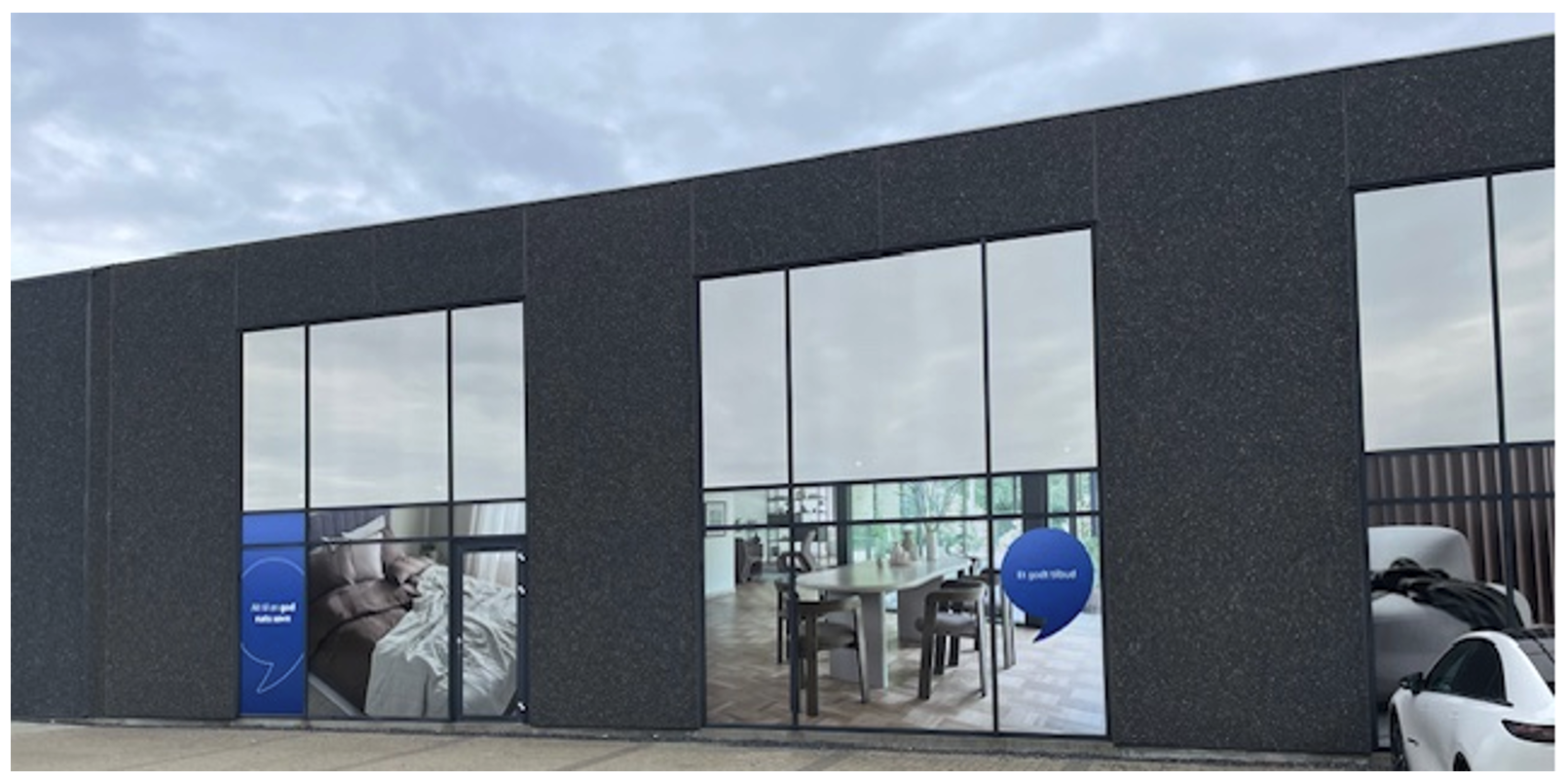
Photos for store front
Last edited: 17/06/2026
This section includes which photos are allowed to be used on store fronts for decoration.
Window covering is made in different categories:
Everyday film for countries with high awareness.
Everyday film for countries needing increased awareness.
We have photo examples for all categories.
All photos are in original file size, ready to fit.
The photos are divided into these areas: Sleeping, Living, storage and decorations.

One photo can cover one window, or you can use an extended edition of the picture and make it cover 2, 3 or 4 windows, depending on the size of the windows. You will find many examples of final window coverings at the bottom.
Link to download: Download all photos
Countries with high awareness
Relevant for: JHR, JFI, JDK, JNO, JSI, JRS, JPL, JSE, JBA, JSK, JHU, JCZ
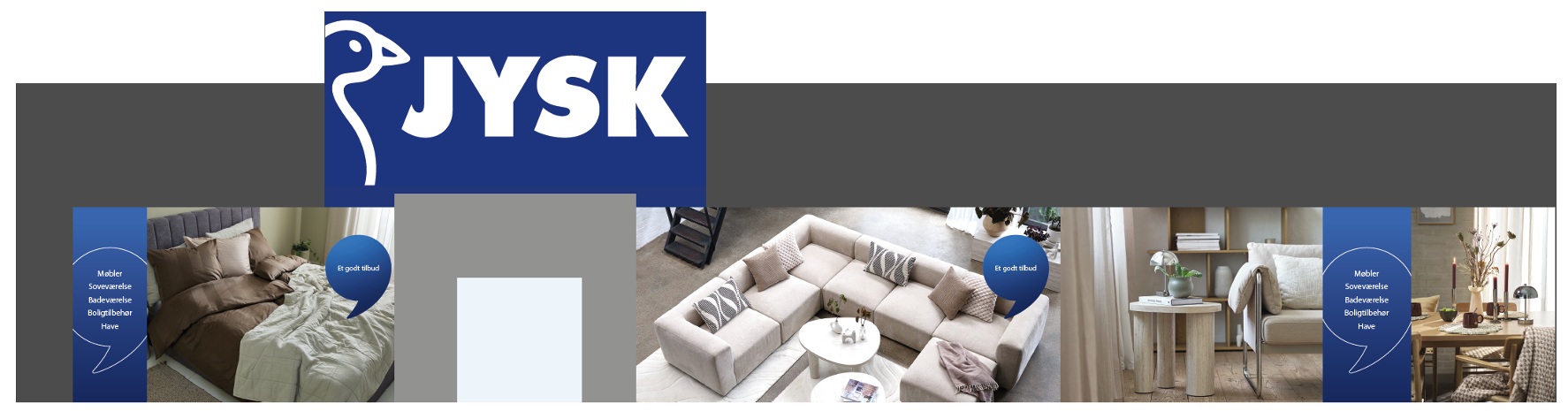
For countries with high awareness, we created “Core messages”. The blue speech bubbles should be added to the photo examples. Please do not place the core messages right next to each other; keep a distance of 1 or 2 Photo examples between the core messages.
In JDK only use “Et godt tilbud” and “Everything for a good night’s sleep”.
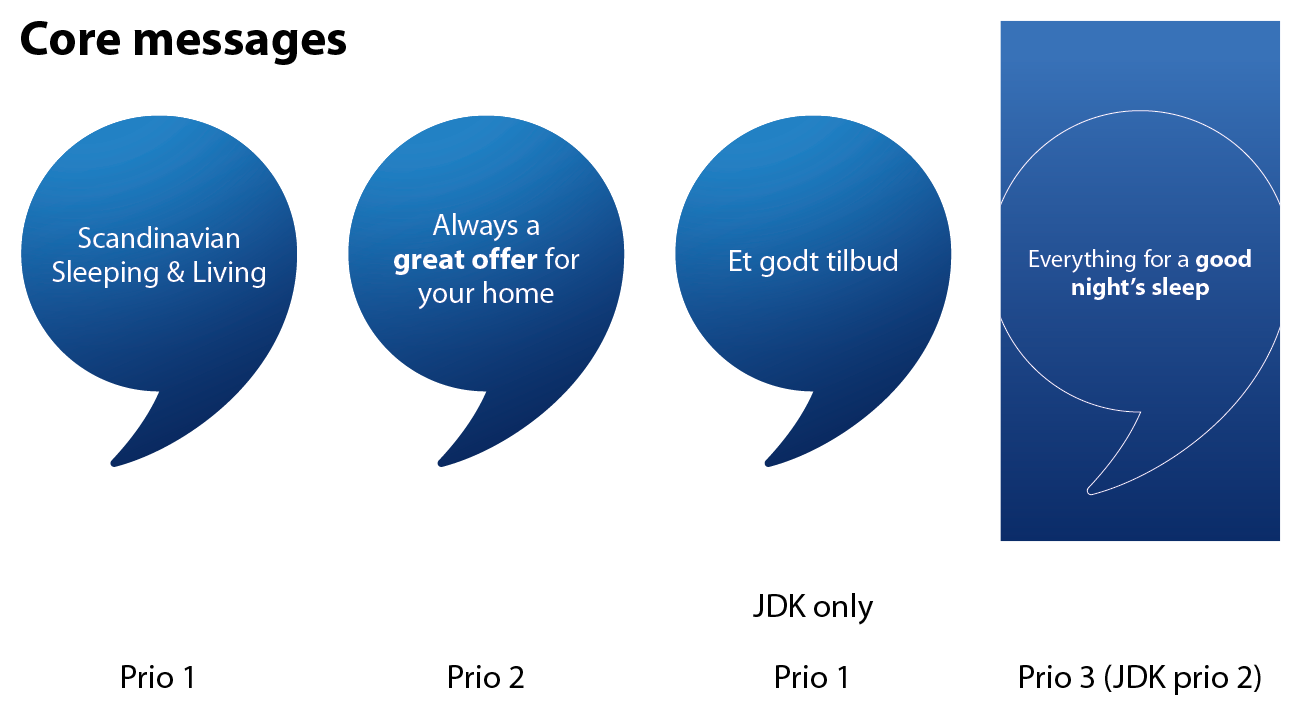
They are shown in prioritized order, where the Prio 1 Core Message has the highest priority.
Always start with Prio 1, followed by Prio 2, and finish with Prio 3. If additional messages need to be covered, restart the sequence from Prio 1 and continue accordingly.
The blue speech bubble should be positioned in a way that makes sense across different elements. As a starting point, it should be placed in the center. However, several factors need to be considered when positioning it.
The size of the window must be considered. For example, if the window is 6 meters high, the bubble should not necessarily be placed at 3 meters height, but instead adjusted down to a comfortable reading level.
Likewise, if the window is square or very wide, it should not necessarily be centered, but may instead be placed toward the right or left side.
It’s also important to consider the elements within the image, ensuring the bubble does not cover key features such as faces or important furniture.
See examples of combinations below. If you have a small store display, use the bottom example. If you have a large window display, use the one in the top as inspiration.
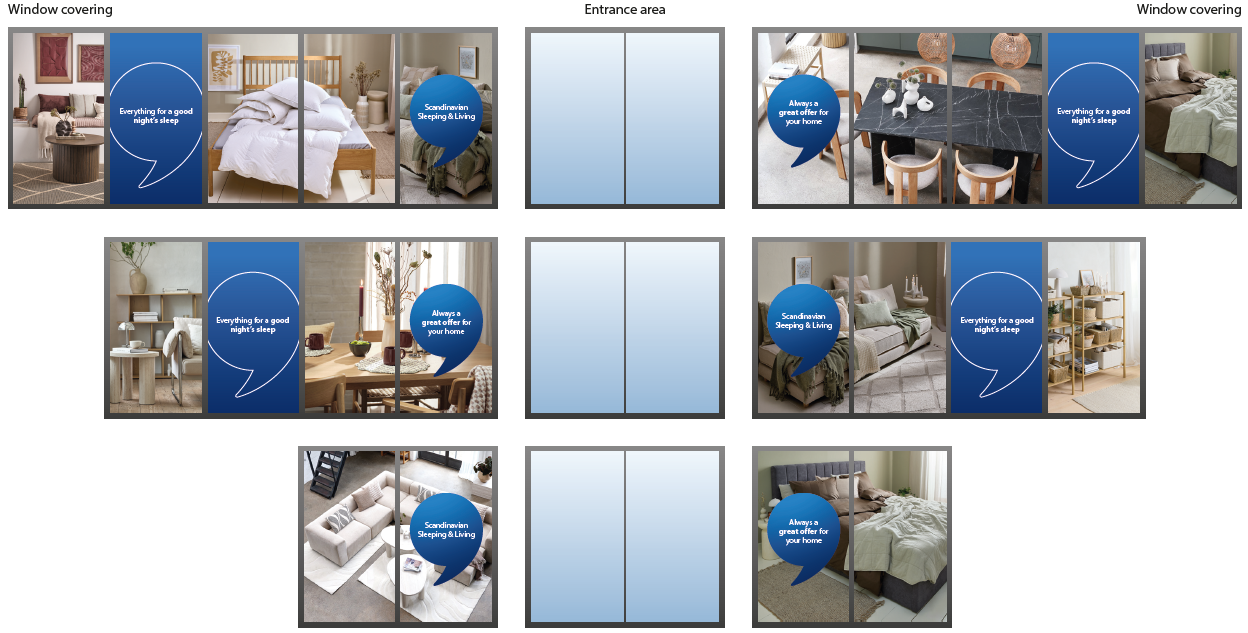
JDK layout inspiration:
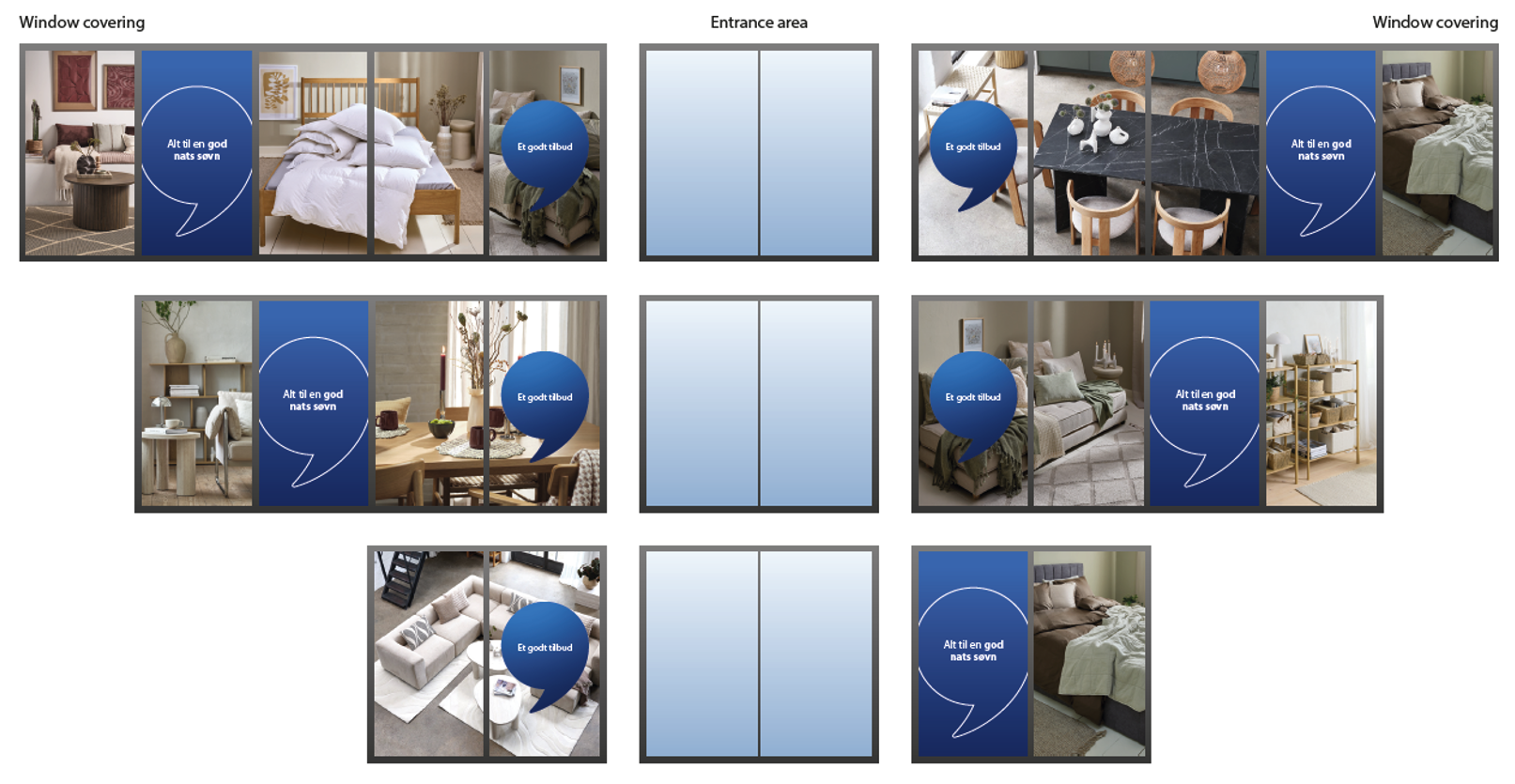
Link to download the Cores messages for your country.
Countries needing increased awareness
Relevant for: JRO JNL, JBE, JUK, JIE, JBG, JGR, JDE, JCH, JUA, JAT, JES, JPT, JIT, JFR, JMA, JTR
For countries needing increased awareness the core messages are the same as countries with high awareness, but “High awareness messages” are added to visualize the categories.
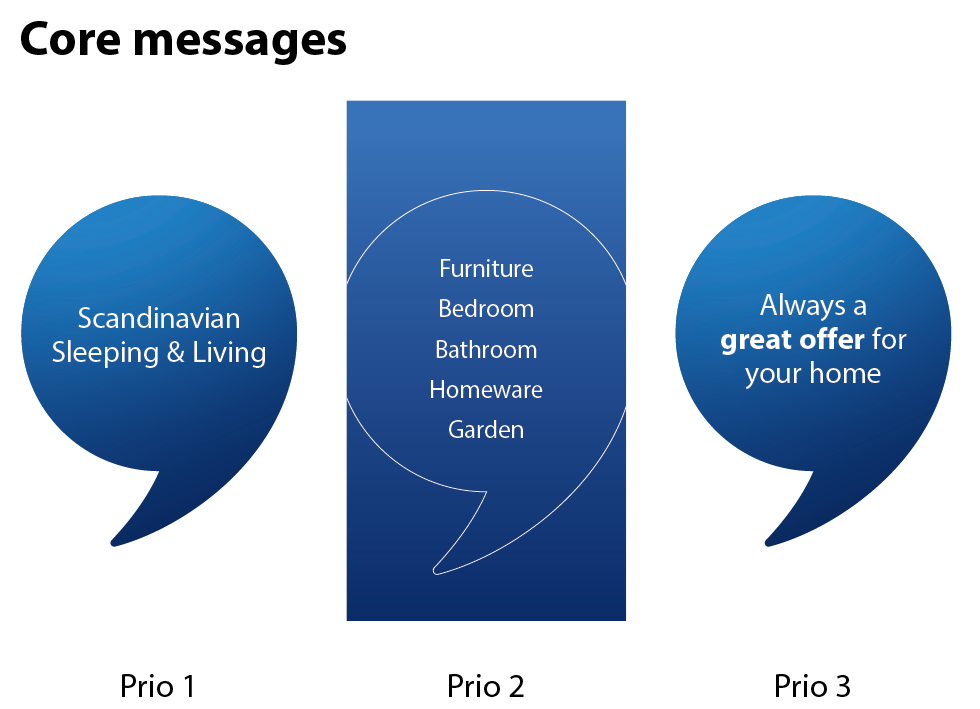
They are shown in prioritized order, where the Prio 1 Core Message has the highest priority.
Always start with Prio 1, followed by Prio 2, and finish with Prio 3. If additional messages need to be covered, restart the sequence from Prio 1 and continue accordingly.
See examples of combinations below. If you have a small store display, use the bottom example. If you have a large window display, use the one in the top as inspiration.
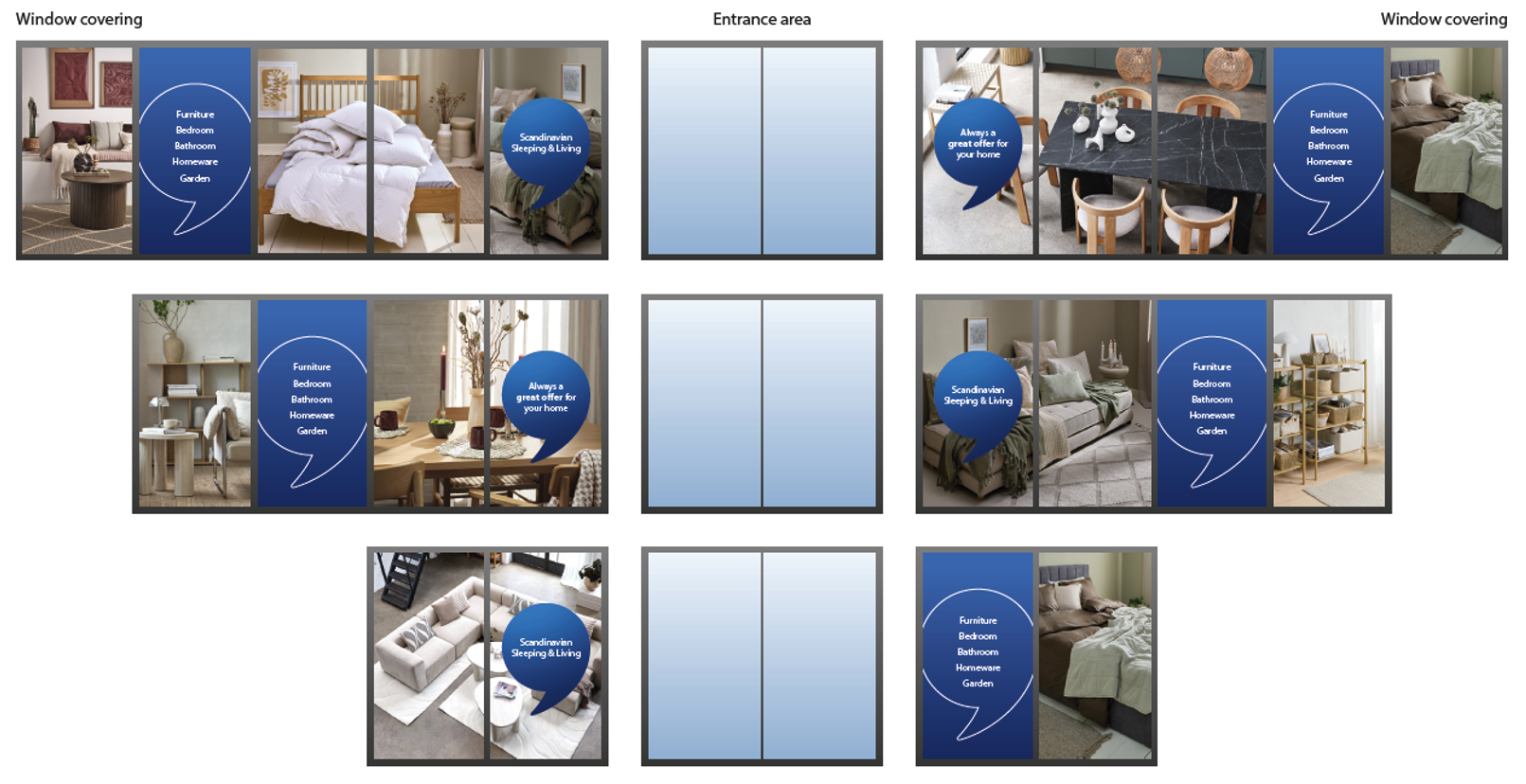
Link to download the Cores messages for your country:
Use of JYSK logo
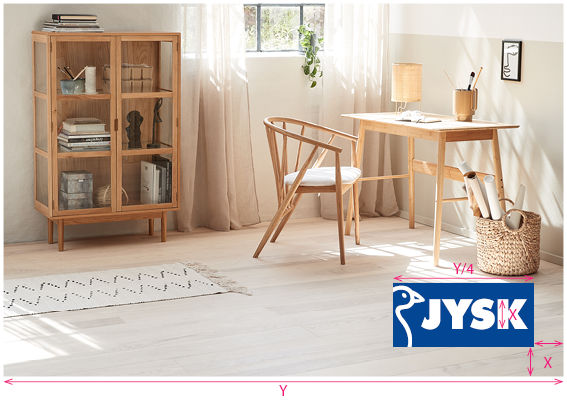
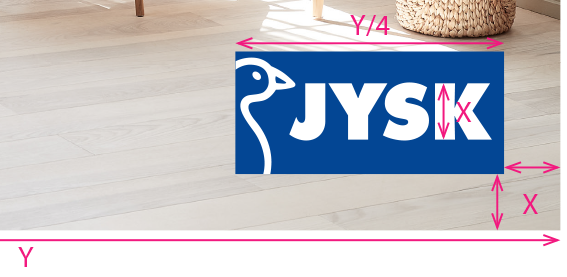
In general we don't want logos on the mood photos we use on Store fronts – since it should be very obvious to which store the photo belong.
However, if the facade logo isn’t visible on all sides of the building, a logo should be placed in the bottom right corner, according to the illustrations below, on the side without logo.
Store examples
Store example one:
Store example two: