
Instore navigation
Last edited: 17/09/2026
Material requirements:
ACM Aluminium Composite Material / ACP Aluminium Composite Panel:
Examples: Alucobond plate 3 mm, Dibond plate 3 mm
Vinyl(foil) minimum requirements:
2D white polymer film, 70 µm, with grey adhesive and matte overlaminate
Matrix textile frames minimum requirements:
100% Polyester. 185 g knitted polyester completed with PVC rubber at all edges.
LED backlit for frames minimum requirements:
PP 240 µ or Backlit Backlit Polyester Film in 220 microns
Navigation in entrance
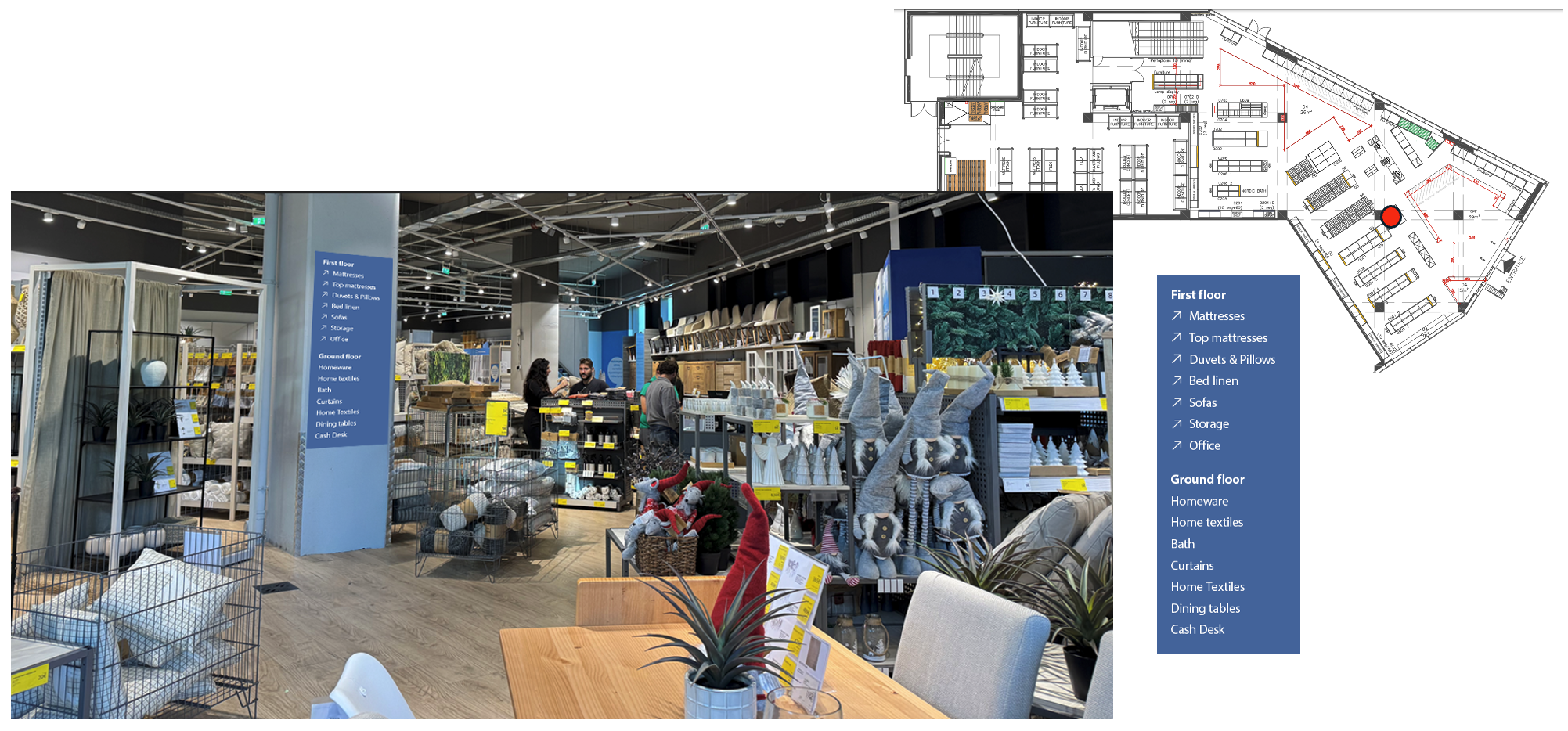
For stores with odd shapes and multiple floors – a prominent pillar or wall visible in the entrance can be used to highlight the distribution of categories.
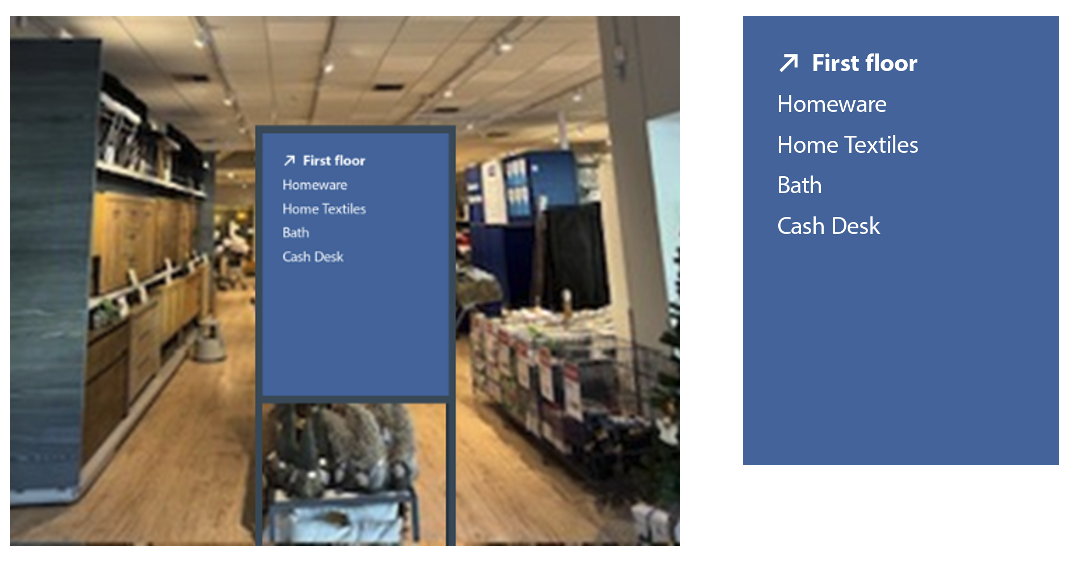
For stores with odd shapes and multiple floors – Without obvious walls to use can be use a custom A1 poster to highlight the distribution of categories.
Category navigation on an image
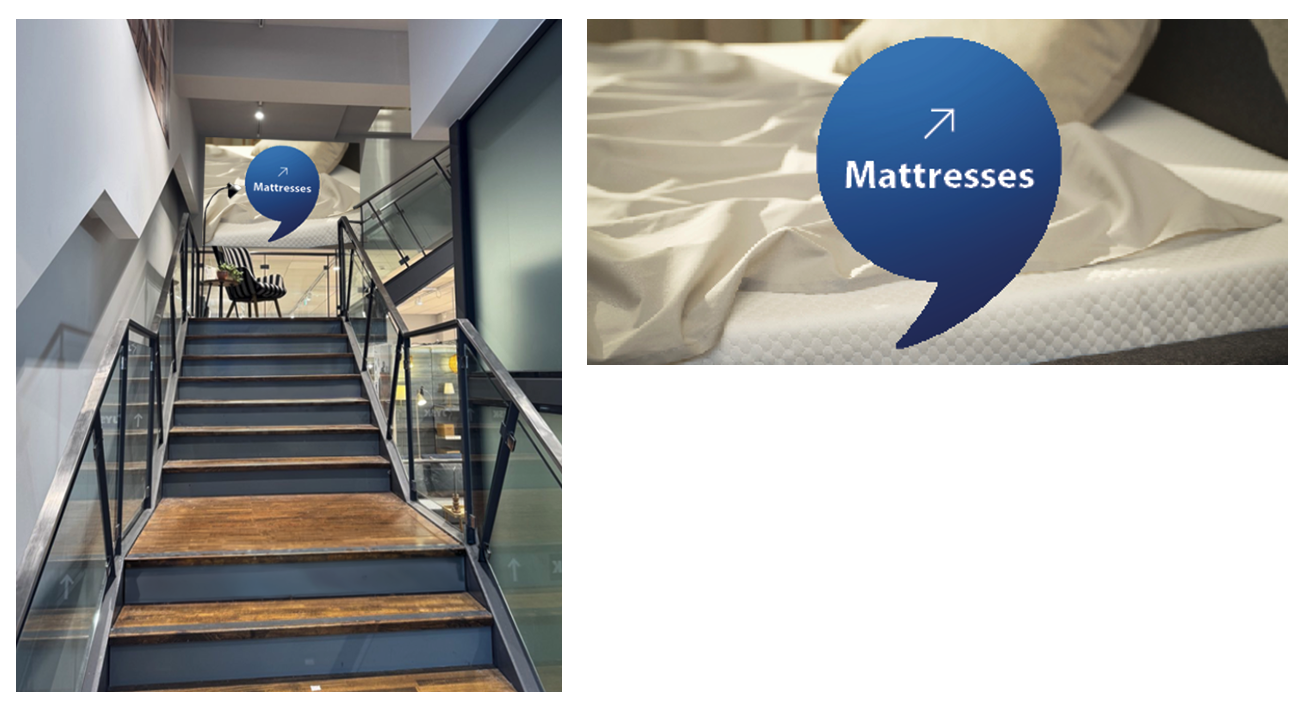
Specific categories can get a navigational ballon on top of a category related image – in this example on a beam on some stairs.
Staircase navigation
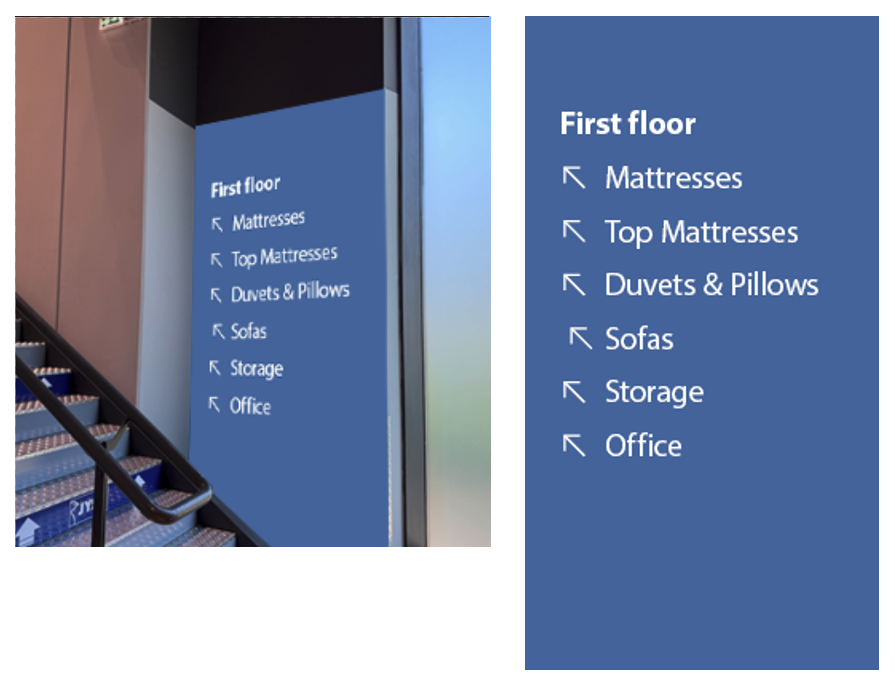
Use the most prominent/visible wall surface next to the stairs to highlight the awaiting categories (No signs on steps to be used)
Staircases
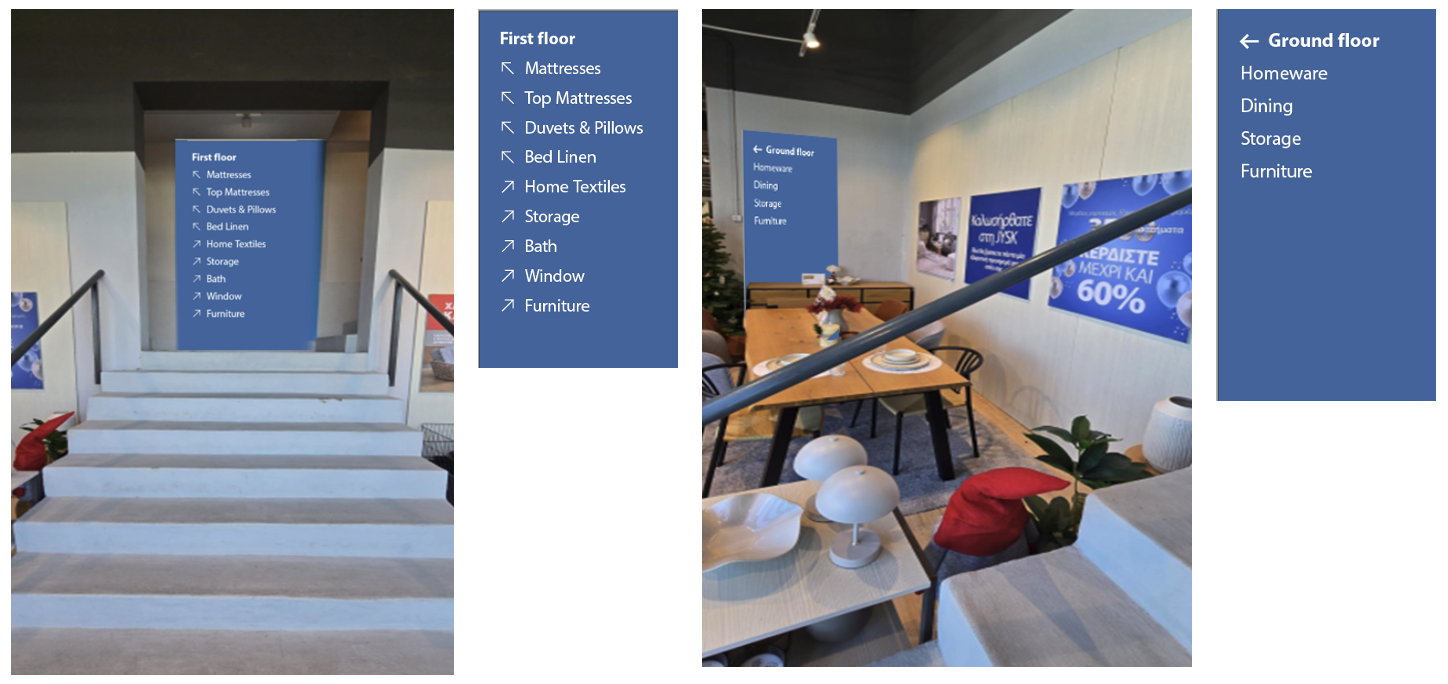
Staircases can also be splitting – requiring a sign showing what goes in each direction – further supported in the stairwell.
Other needs can be supported with a second sign addressing the ground floor/openings to the side.
Staircases inside navigation
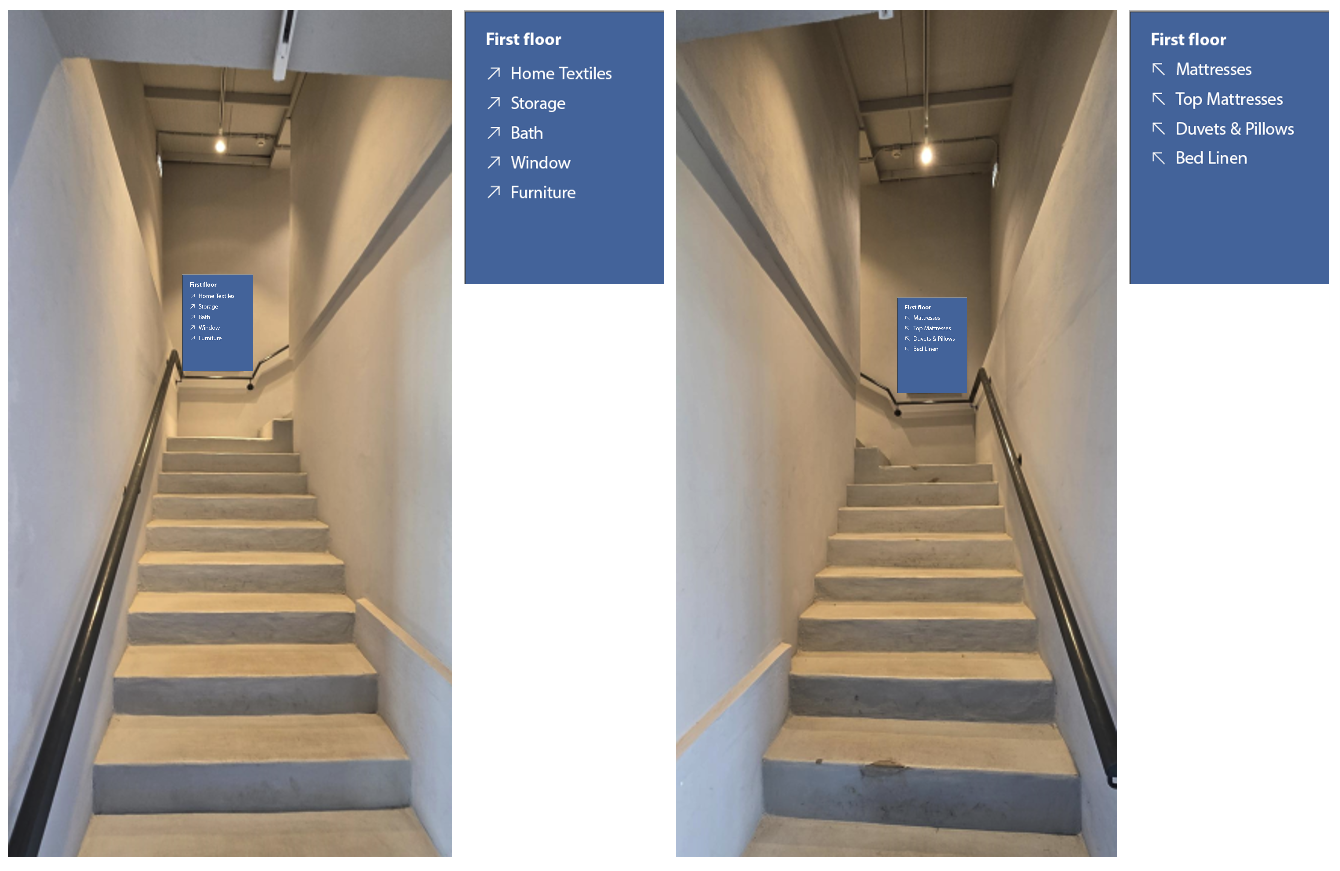
Splitting or winding staircases can support navigation by adding a sign in the corners – either custom or in A1 frame
Open staircases
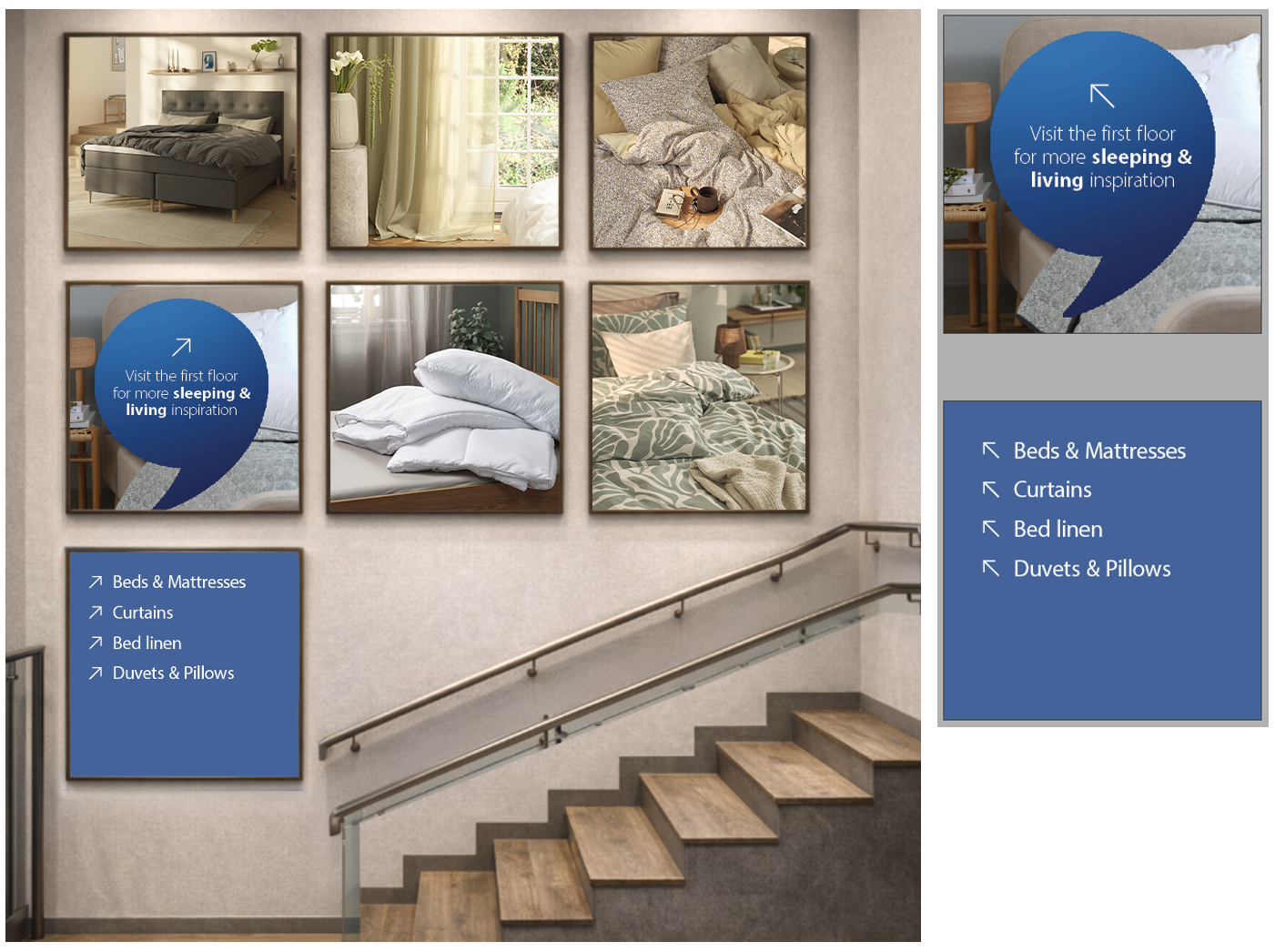
Larger wall surfaces can be decorated with images and navigation signs in a pattern that fills the void evenly. In this example by using 1200x1200 mm frames.
Category navigation on an image
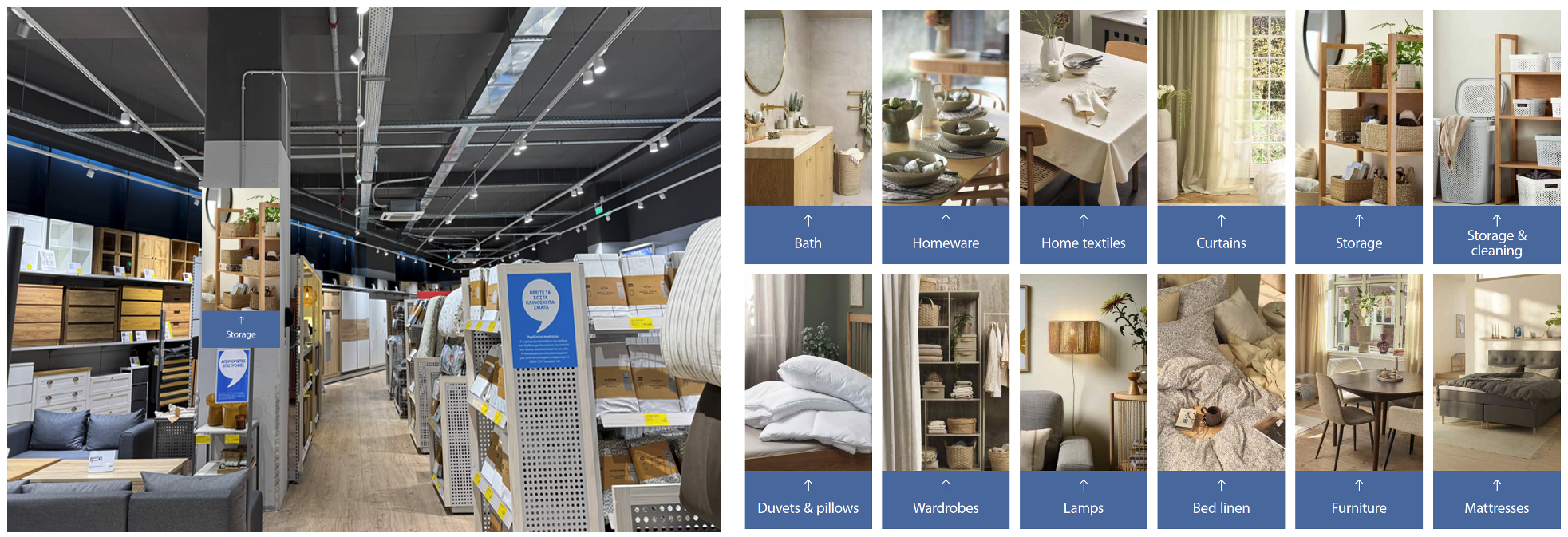
Specific categories can get a navigational image with a category box if they are hidden or hard to find in store.
Staircase decoration
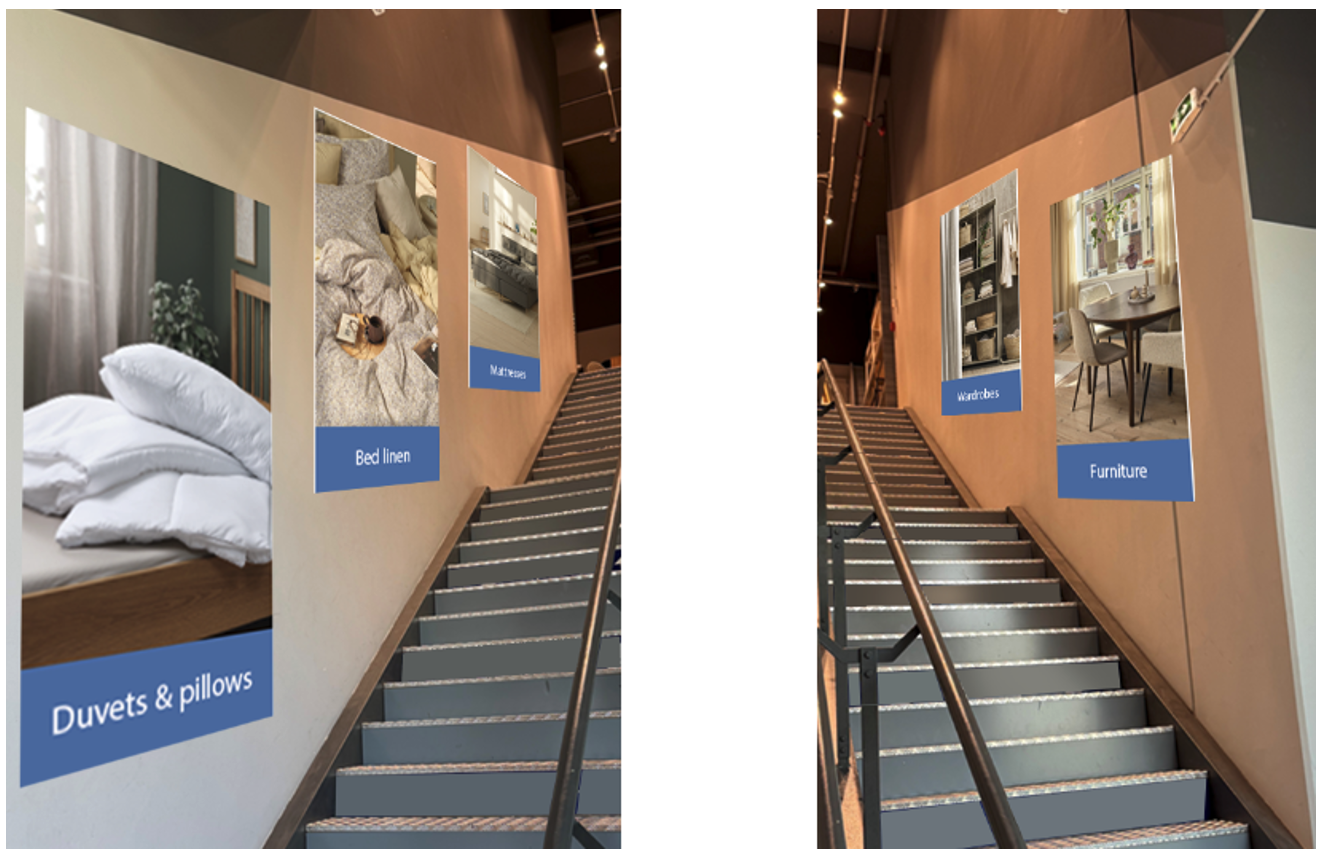
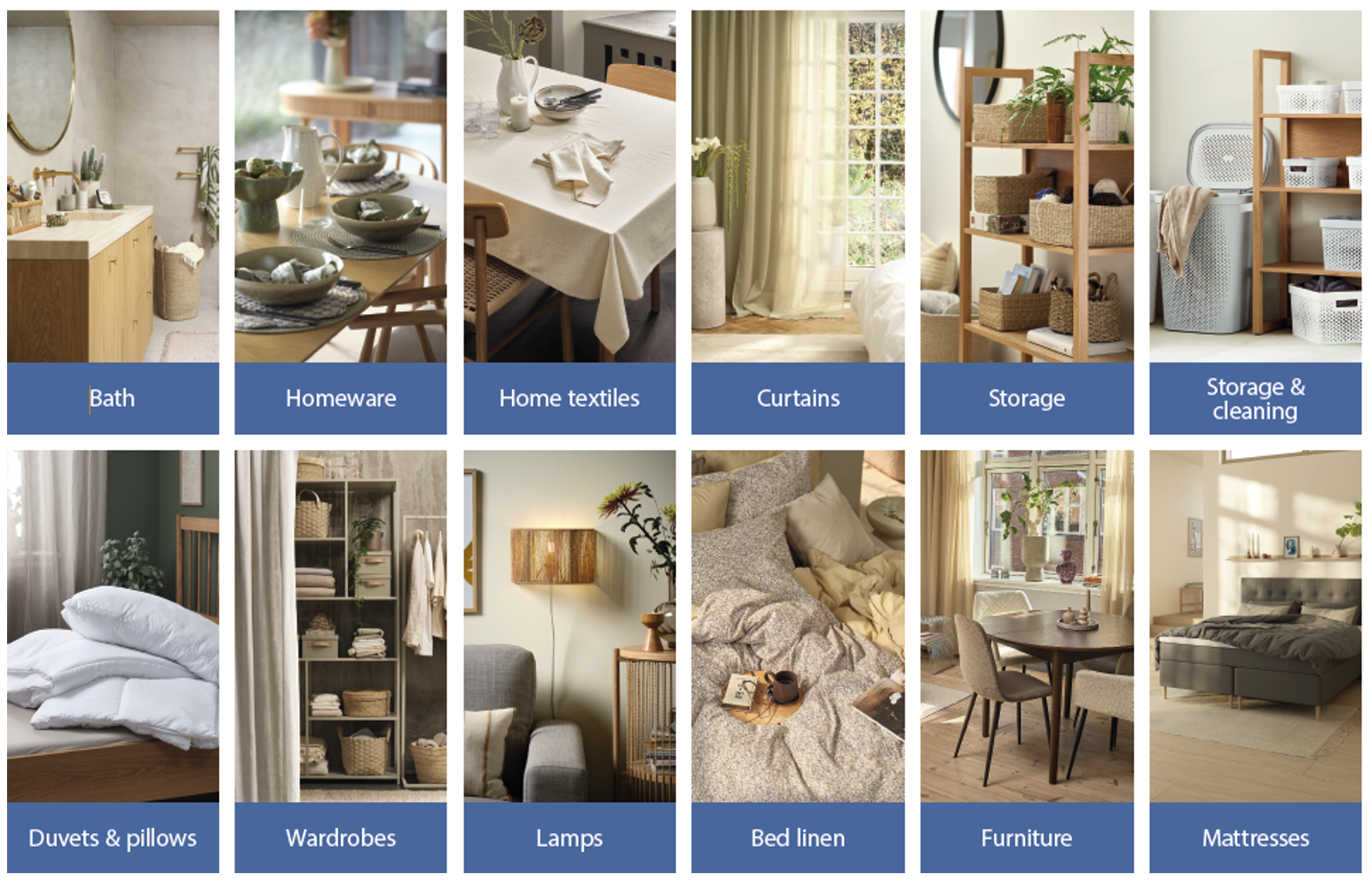
Staircases can be decorated with signs showcasing what lies beyond the stares – prioritize the big sleeping categories – Std size is 1200x2500 – but can be resized and made Square if needed.
Elevator navigation
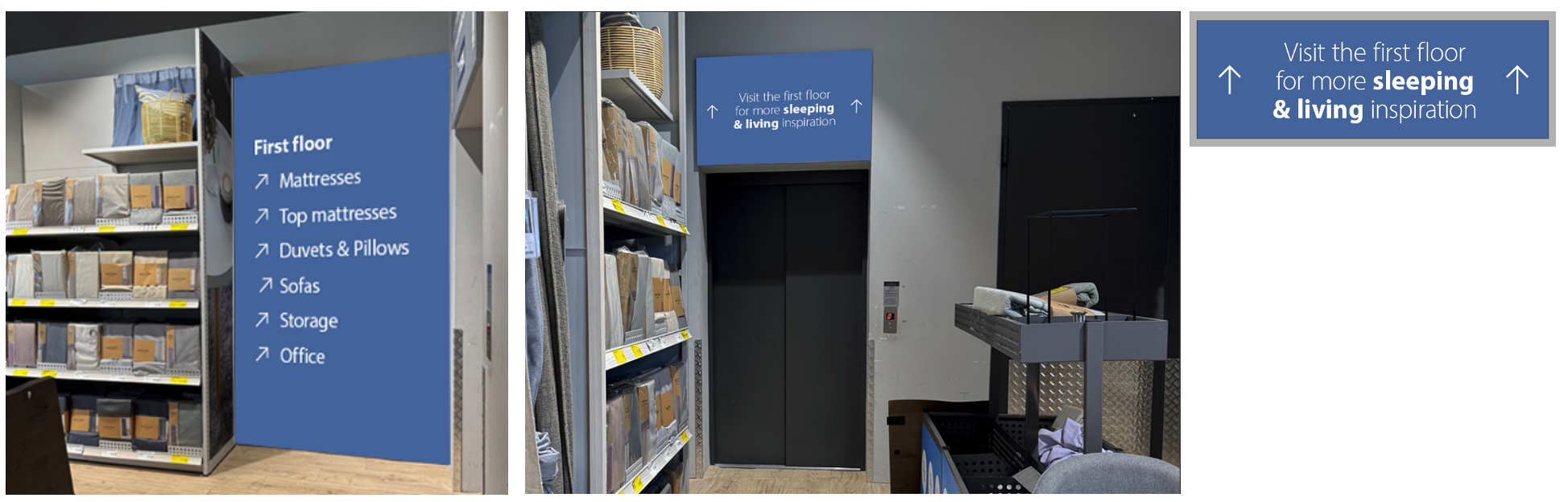
When signing an elevator - use a top sign addressing the categories awaiting.
Use the most prominent/visible wall surface next to the elevator to highlight the awaiting categories.
LED navigation
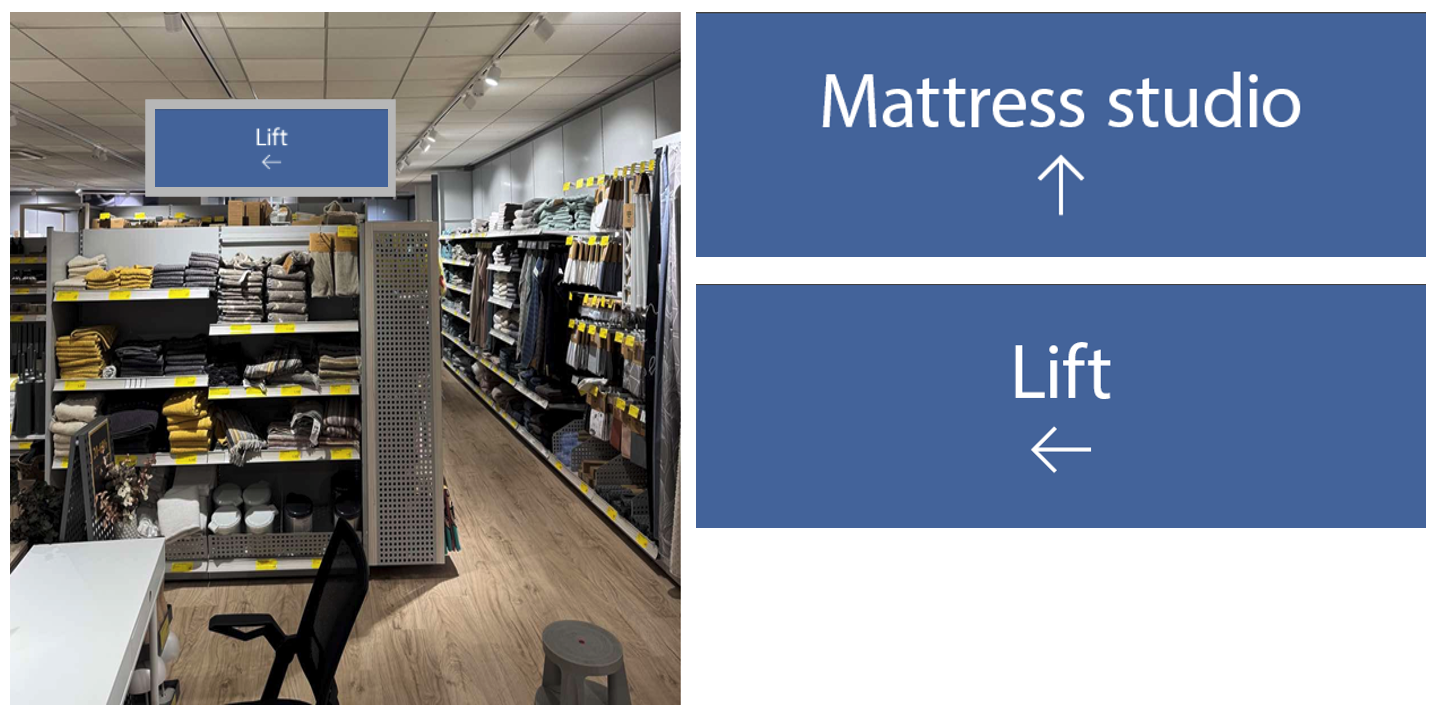
LED frames can be used to highlight placement of lifts as well as categories hidden by walls or tall fixtures.